Exercise: LlamaIndex Wikipedia agent with Chainlit
- Source
- From the RAG & Agents Engineering course
- By
- Sourav Banerjee
- Last updated
- 9 Nov 2026
Chat UI
What you'll build
- A ReAct agent in LlamaIndex with one tool: a query engine over a vector index of Wikipedia pages.
- An indexing step that turns a free-text request such as paris, lagos, lao into a list of page titles and indexes them.
- A Chainlit chat app that builds the index and the agent when the user saves settings, and runs the agent on every message.
- Per-session state, so two people in the app never share an index or an agent.
Lesson 1 of T9.4 put a retriever behind a tool inside a LangGraph agent. This exercise builds the same pattern in a second framework and puts it behind a chat window. It adds no new retrieval idea; it shows what changes when the agent has users.
Picture two Larkspur support leads in the same chat app. The first indexes the refund pages and asks about annual refunds. The second indexes the outage pages a moment later. The first lead's next answer comes from the outage pages, because both sessions were reading one agent.
A chat UI is an event-driven host for the agent: the framework calls one of your functions per event (chat opened, settings saved, message sent), and your code decides what each event does to the index and the agent. Chainlit is the framework here, and the scaffold fills three of its events:
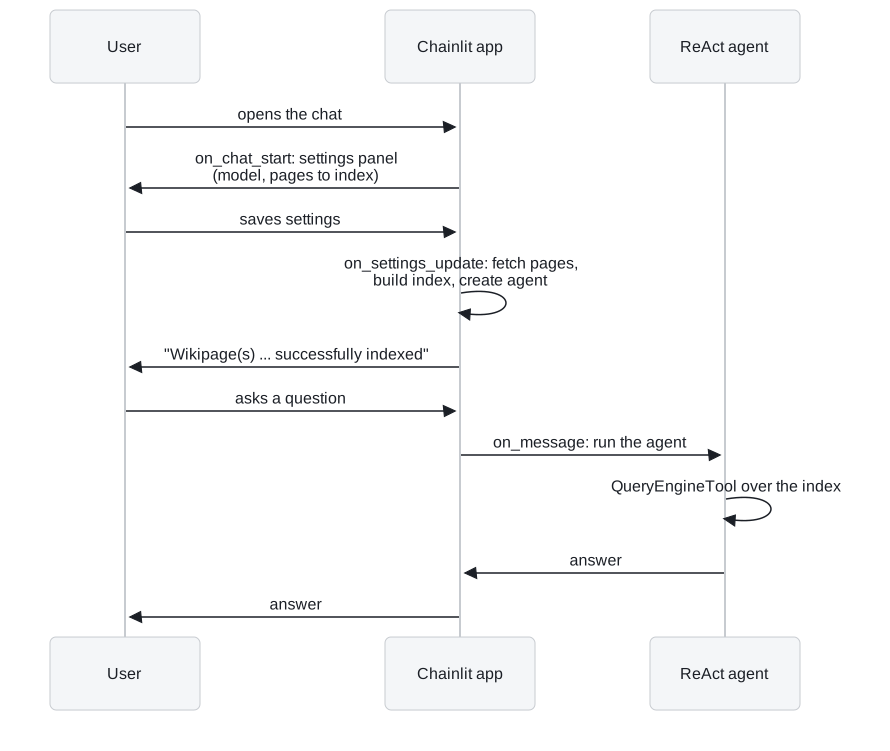
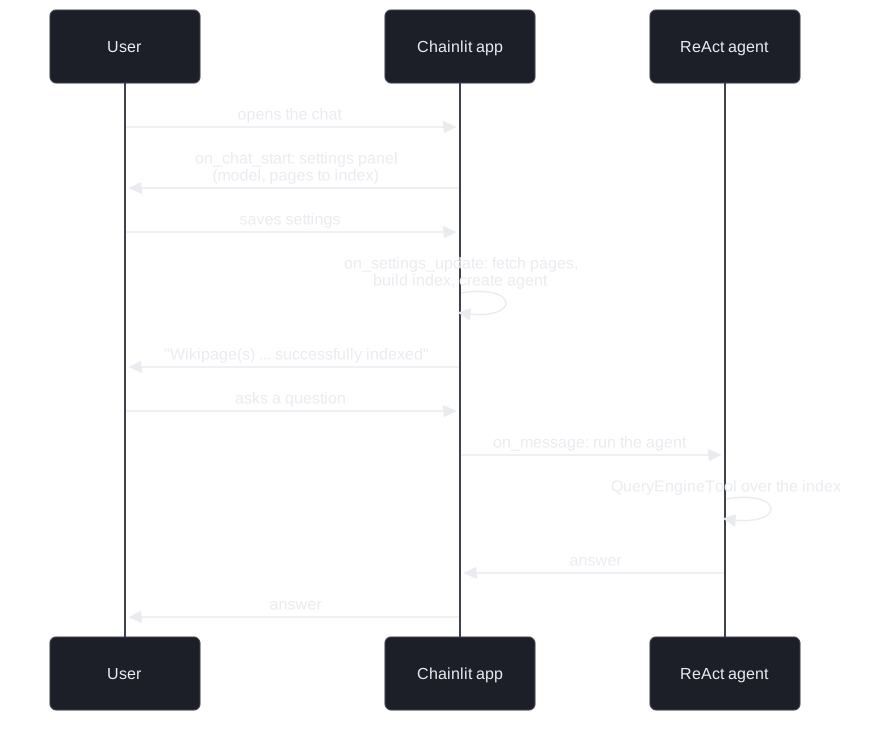
Figure 1: One session from open to answer. The index is built while the user waits, between saving settings and the confirmation.
| Event | Scaffold function | What it does |
|---|---|---|
| Chat opens | on_chat_start |
Sends a settings panel with a model choice and an input for the pages to index |
| Settings saved | setup_agent |
Turns the request into a page list, fetches and indexes the pages, builds the agent, then confirms in the chat |
| Message sent | main |
Runs the agent on the message and sends its reply back |
Table 1: The three events and what each one does to the agent.
Architecture
The pieces sit in two files plus the framework:
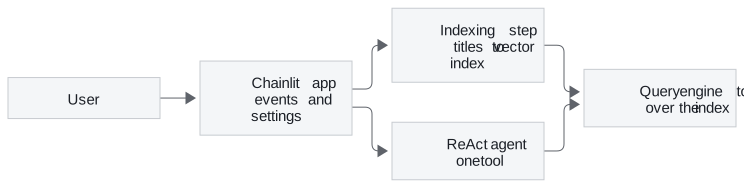
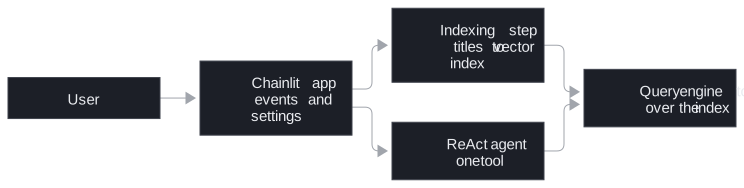
Figure 2: The exercise's pieces. The chat app owns both the indexing step and the agent.
| Piece | What it does | Built on |
|---|---|---|
| Page-list program | An LLM call with structured output fills a list of page titles from the user's free text | Structured output, as in lesson 1 of T9.4's classifier |
| Indexing step | Fetches the pages from Wikipedia and builds a vector index | T5.1's indexing |
| Query engine tool | Wraps the index as a tool with a name and a description | Lesson 1 of T9.4's retriever tool |
| ReAct agent | Decides when to call the tool and writes the answer | T7.2's ReAct loop |
| Chat app | Calls the indexing step and the agent from its event functions |
Table 2: The five pieces and the earlier lesson each one reuses.
The tool description matters here exactly as in lesson 1 of T9.4: it is all the ReAct agent knows about what the index holds.
Four things the UI changes
Moving the agent behind a chat window adds four problems a notebook never shows. Each has a planted case and a guard:
| Planted case | What goes wrong | Guard |
|---|---|---|
| The user saves new pages and asks at once | the question reaches no agent, or the agent for the previous pages | confirm in the chat only after indexing finishes |
| Two users save different pages | the second user's index and agent replace the first's | keep the index and agent per session |
| Each user indexes different pages | a fixed description says nothing about this session's index | build the description from the session's settings |
| A reviewer checks an answer | the tool calls behind it are hidden | show each tool call as a step in the chat |
Table 3: Four planted cases and the guard for each.
The premature question. The index is built when settings are saved, not offline as in T5.1. A question sent before the confirmation finds no agent on a first save (the scaffold's message handler replies only once an agent exists), or, on a later save, the agent still holding the previous pages. The second case is the dangerous one: the answer looks normal and comes from the wrong pages.
The shared agent. The scaffold keeps index and agent in module globals. Chainlit serves every connected user from one Python process, so the second user to save settings replaces the first user's index and agent. That is the failure in the opening scenario. Store both in Chainlit's user session instead, which keeps one value per connection; the scaffold's configuration keeps a session for 3,600 seconds after the connection drops.
The generic description. The tool takes a name and a description through its metadata. When each user indexes different pages, write the description from their settings ("Wikipedia articles on London, Barcelona and Paris"), so the agent knows what this session's index holds. A fixed "Wikipedia pages" tells it nothing about which ones.
Hidden steps. Chainlit can show the agent's intermediate steps in the chat. For Larkspur's support chat, a visible step per handbook_search call lets a support lead check the answer against what was retrieved.
Design choices worth copying
| Choice | Why |
|---|---|
| Index on settings save, confirm when done | The user knows when questions can be answered; a confirmation sent early would hide the premature question |
| Index and agent per session | One process serves every user, so globals leak one user's data into another's answers |
| Description built from settings | The agent's routing reads the description, as lesson 1 of T9.4 measured |
| Tool calls shown as steps | A reviewer can compare the answer with its evidence, as lesson 2 of T9.4's retrieval contents allow |
Table 4: Four choices and the failure each one prevents.
In practice: the Larkspur support chat
The same three events host the Larkspur agent from lesson 1 of T9.4:
- On chat open, build the agent for this session with
handbook_searchandweb_search, and store it in the session. - On each message, read the session's agent, run it, and send the reply.
- Show each
handbook_searchcall as a step, so a support lead sees the chunks behind every refund answer.
The handbook index is built once, offline, as in T5.1, so the premature question disappears. The shared-agent risk does not: the conversation history still belongs to one session.
Limits
- The scaffolds are incomplete on purpose. Both files have gaps to fill, so the exercise has no expected output to quote. Test it by behaviour: open two sessions with different pages and check that each answers from its own.
- Version drift in the scaffold. Its configuration file was generated by Chainlit 0.7.0 and switches visible steps on with
hide_cot = false. Chainlit 2.x, which the course installs, reads.chainlit/config.tomland usescot("full","tool_call"or"hidden", default"full") instead, so the old setting does nothing. The folder's README also notes that the legacy OpenAI program package does not supportllama-index-core0.14; its function-calling or text-completion programs replace it. - What it needs to run. An OpenAI API key and the course's
llamaindexdependency group. There is no notebook: the app runs with Chainlit from its own folder.
Run the notebooks
The code for this lesson is in these notebooks. Colab runs one in your browser: install the packages its first cell imports and set the API keys it reads. To run every notebook as written, clone the repository and use its uv environment.
| Notebook | GitHub | Colab |
|---|---|---|
| LlamaIndex wikipedia agent (optional) | Open on GitHub | Run locally |
Key Takeaways
- A chat UI calls one function per event. Build the index and agent when settings are saved, confirm only once indexing finishes, and run the agent on each message.
- Keep the index and agent per session, not in module globals, because one Python process serves every connected user.
- Build each session's tool description from its settings so the agent knows what its index holds, and show tool calls as steps so a reviewer can check answers against retrieval.
Check yourself
1. Why does keeping the index and agent in module globals break the Chainlit app as soon as two people use it?
Chainlit serves every connected user from one Python process, so the second user to save settings replaces the first user's index and agent. The first user's next answer comes from the second user's pages. Store both in the user session, which keeps one value per connection.
2. A user indexes the Wikipedia pages on London, Barcelona and Paris. What tool description should that session's agent get?
One built from the user's settings, such as "Wikipedia articles on London, Barcelona and Paris", passed in the tool's metadata. A fixed description such as "Wikipedia pages" tells the agent nothing about what this session's index holds, and the description is all the agent reads when it decides to call the tool.
3. A user who had indexed London saves Lagos instead and asks about Lagos straight away, and the answer comes from the London page. What went wrong, and what guards against it?
The question arrived before the new index was built, so it reached the agent that still held the previous pages. Build the new index and agent in the settings event, store them in the session, and send the confirmation only after both are ready, so the user knows when questions about the new pages can be answered.